Showing posts with label case. Show all posts

Tuesday, 7 October 2014

Lacie Drives are {BLEEP}ing {BLEEP}

Arrggh.. yet another dead LaCie external drive - That's the second one now! The first, a 500 gig firewire drive and now the USB one has died too. Nothing wrong with the actual drives mind, just the units - probably the boards inside the boxes. Are these things being built to die after a certain amount or time? I may sound paranoid, but It seems everything built within the last 5-10 years is a pile of crap that just won't last.

I'm a total Mac head - can't get on with PC's, but I have an old Dell with Window's 7 for checking websites ( I build websites for a living ) and it has been rock solid, never had a problem with it, where as my recent Macs have been a disaster. All my pre G5 Macs still work perfectly, turn on, work, behave - from a Performa 630CD (1986) to a G3 266 Desktop to a G4 Mirror-Door. Whereas my G5 Imac and G5 Mac Pro are both dead with bad processor boards and a MacBook that keeps crashing due to a useless 10.7.5 operating system. What the hell happened to Apple quality?

Anyway, rant over.

So... I had a look on the web for info on opening the case of a LaCie Neil Poulton case and only found a few words on how the case is fastened with plastic clips. I've managed to open mine and remove my terabyte drive (off to Maplin's to buy a new case tomorrow) and thought I'd share an image of the case and where the clips are for anyone else who needs to open their case up.

To open mine, I used a metal wall paper scraper or if you want, a putty knife - something thin and hard basically, Eased into the sides and gently eased apart. To stop the clips going back in I placed playing cards in it's place. Once the clips are out of the way the unit comes apart quite easily.
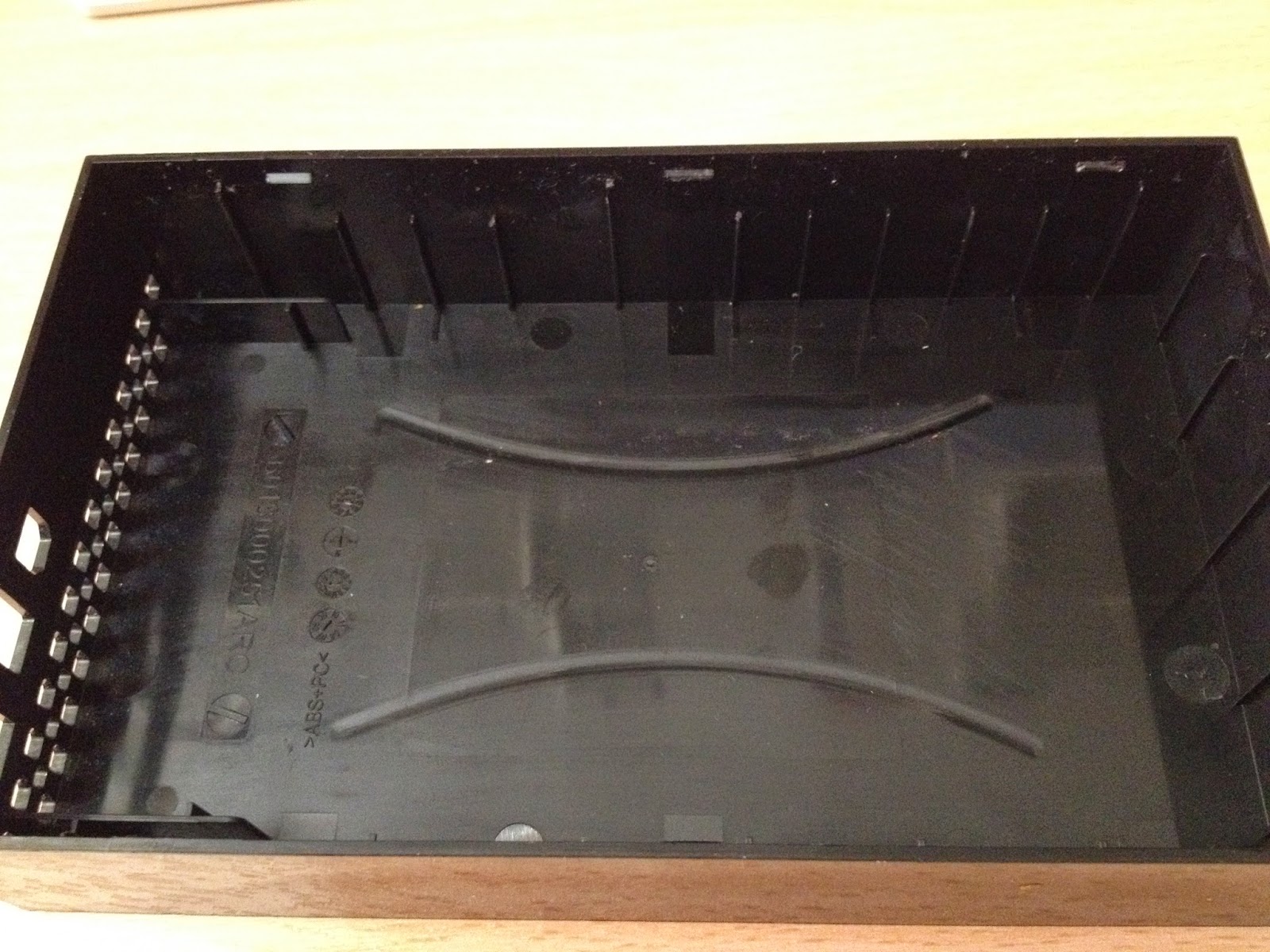
Three plastic clips - on both sides


Drive holder (drive removed) and the dead card


Here's the Firewire drive for good measure.


Next job, opening up a Western Digital External drive case....

Friday, 18 April 2014

Korg M3r Battery Replacement

Today I had to replace the battery in my Korg M3r. All the patches had been wiped and all I could play was the eponymous 90's house piano. Luckily, it's an easy fix and I thought i'd share it with you nice people. First thing you need is a new battery - a CR2032 (flat disc type) which I purchased from Maplin (£3.99) - I had to get two as my PC needed a new battery too ( an odd coincidence?).
Anyway, pictures are easier than words so I'll let the camera tell the story...

First, remove your M3r from the rack and unplug it - no need to kill yourself over a battery.

1. Remove all the screws either side of the synth

Rack ears

Repeat on other side


2. Now remove the two screws at the back. Then the three on the case top.

Case top - three screws
Case Rear - two screws


3. Now you can slide the case back to reveal the innards.

Slide back

Korgh M3r Internal components
Inside of the M3r


The battery is in the top right corner and is a doddle to change - it simple pops out and you can slip a new one in - no screws required.

Replacing CR2032 battery in Korg M3r
Slide in and push down to complete
Korg M3r battery
simple pressure removes the battery


Now, resetting the internal sounds. Click the "Edit" button. Then the "Global" Button. Then press "Combi" five times to get to "5A Load". Click "Prog"  Three times to get to page "5D Preset Data".
Press "Yes" to load the default presets. Hopefully you would have backed your precious home made patches into a librarian or sys-ex file so that you can reload those instead.

Results of a wiped battery
Edit-->Global-->Combi(x5)-->Prog (x3)
Hit "Yes" and...
..Success!


Hope that was of help to any other M3r owners, or just of interest to anyone else.